
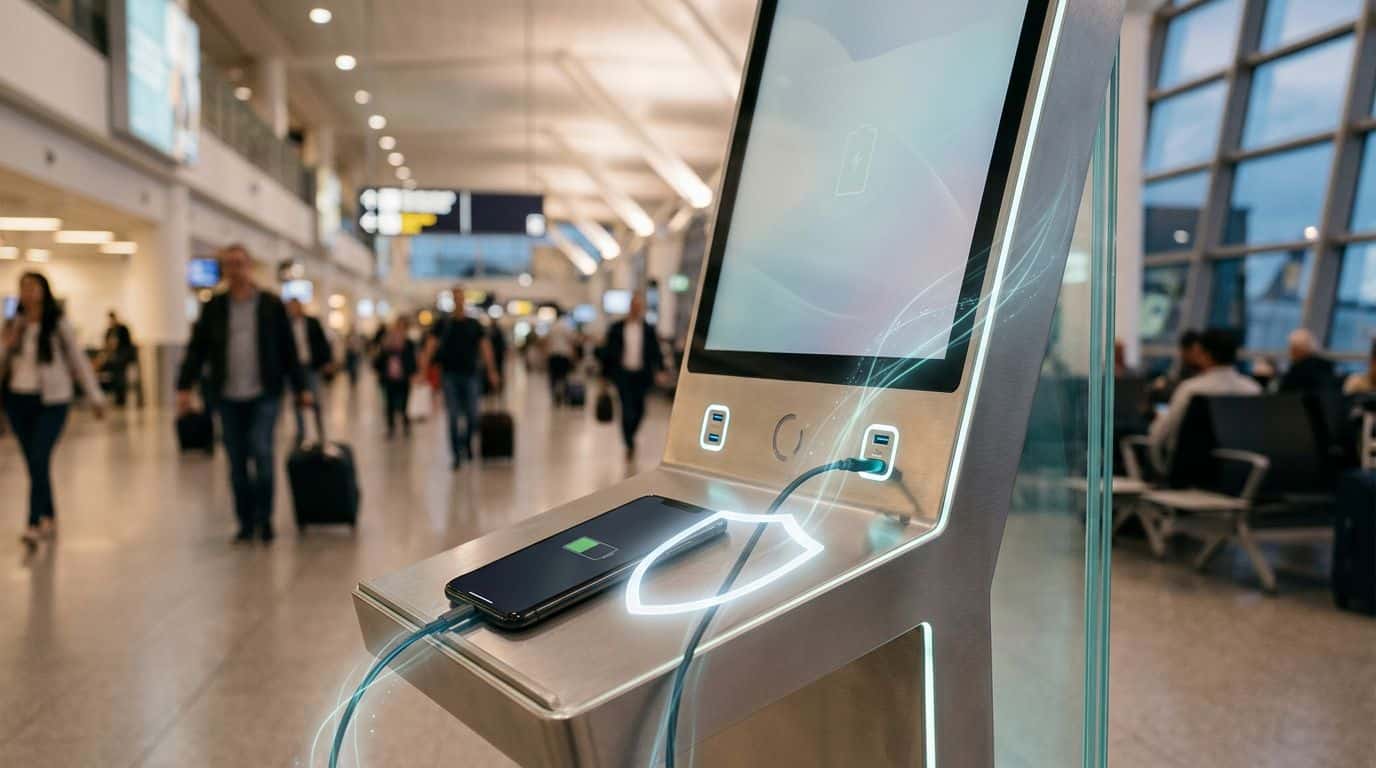
A dead phone in the middle of a trip can make people do brave and slightly foolish things. You spot a free charging kiosk, your battery is at 3 percent, and suddenly that random cable looks like rescue.
That is where public charging security stops being a nerdy side topic and turns into plain common sense. If you know what kind of connection you’re using, what your phone is allowed to share, and when to skip the station entirely, you can top up your battery without handing over access you never meant to give.
Why public charging can put more than your battery at risk
The problem is not electricity itself. The problem is USB.
A public charging station may look like a harmless power source, but many of them use USB connections, and USB was built for both power and data. That means the same port that charges your phone can also open a path for file transfer, device identification, or prompts that ask whether you trust the connected device. If you are tired, rushed, or standing in an airport with one eye on the boarding gate, it is easy to tap the wrong thing.
This is the risk people usually mean when they talk about “juice jacking.” The term gets thrown around a lot, sometimes too loosely, but the basic idea is simple: a tampered charger, cable, or port can try to interact with your phone in ways that go beyond charging. A plain-language overview of that risk appears in this guide to protecting your phone at public charging stations.
The easiest way to think about it is this: a wall outlet is an outlet, but a USB port is a conversation. Some conversations are harmless. Some ask for too much. Your job is to keep the interaction boring.
If a public charger uses USB, treat it like an unknown computer, not a friendly battery refill.
There is another wrinkle. Many public stations include built-in cables, and you have no idea where those cables came from or whether they have been swapped, modified, or damaged. This look at cyber risks in public phone-charging stations points out how easy these shared cable banks are to tamper with. That does not mean every airport kiosk is a trap. It means you should stop assuming every cable is innocent.
The safest way to charge in public is the least exciting one
If you want the short answer, here it is: use your own charger brick in a normal AC outlet, or use your own power bank. That setup avoids the USB data path entirely.
A charging brick plugged into a wall outlet converts mains power to charging power. It does not act like a data connection to your phone. That is why your own plug and cable are safer than a loose USB cord hanging out of a kiosk. Once you see that difference, a lot of public charging advice starts to make sense.

A power bank is even better when you are moving through stations, airports, festivals, or shared workspaces. It keeps the entire charging process in your hands. No mystery ports. No kiosk software. No cable that looks as if it has lived a hard life. If you commute often or travel for work, this is one of those small purchases that saves both battery and bad decisions.
There is a dull but effective habit underneath all of this: plan for low battery before you are desperate. Charge before leaving home. Carry a short cable. Keep a power bank topped up. Desperation is what makes people plug into the first thing they see, and that is when public charging security tends to fall apart.
None of this means you have to live like a bunker-dweller, suspicious of every seat in the airport lounge. It means you should build a default routine that gives you safer options before your phone starts flashing red.
If you must use a public charging station, make it charge only
Sometimes the choice is not between “my trusted power bank” and “a risky kiosk.” Sometimes the choice is “use this station” or “have no map, no ticket, and no ride-share app for the next three hours.” Fair enough. If you have to use a public charger, strip the connection down to power only.
A charge-only cable or a USB data blocker is made for that job. It allows power through while blocking the data pins that let a port communicate with your device. The idea is simple and practical, and this explanation of USB data blockers gives a good overview of how they work. It is not glamorous tech. It is a tiny doorman that says, “Electricity can come in, everyone else stays outside.”
Your phone’s own settings matter too. Keep the phone locked while charging. If a prompt appears asking whether to trust the connected device, do not approve it. On many Android phones, USB preferences let you keep the connection on “charge only” instead of file transfer. On iPhones, a locked device is less willing to share data, and the “Trust This Computer?” prompt is your cue to back away, not tap yes because your battery is at 2 percent and your judgment is fading.
Public stations with standard power outlets are still better than USB ports. If the kiosk offers both, choose the outlet and use your own charging brick. If it only offers a built-in cable, that is the sketchiest version of the whole setup. A cable you did not bring, attached to hardware you do not control, in a place where strangers have access to it all day, is not where you want your unlocked phone to be making new friends.
Wireless charging pads are a mixed case. They do not create the same USB data path, which is good. But a public wireless pad can still be unreliable, slow, or physically awkward, and it still encourages you to leave your phone sitting in one place. Better than an unknown USB port, maybe. Better than your own gear, no.
The small habits that close the easiest gaps
A lot of phone safety comes down to making your device a boring target. Public charging is no different.
Start with the lock screen. Use a strong passcode or biometric lock, and do not leave your phone unlocked while it charges. That sounds obvious until you are sitting in a cafe, watching the battery climb, with your messages, email, and banking apps one swipe away. If somebody gets physical access to the phone, your charging setup is no longer the only problem.
Software matters more than most people think. Keep your operating system updated. Security fixes often close weaknesses that attackers count on people ignoring. If your phone offers a setting to block USB accessories while locked, use it. Apple and Android both give users more control than they used to, but only if those controls are turned on.
It also helps to reduce what your phone can do the moment it wakes up. Turn off automatic data transfer settings you do not use. Be cautious with developer options on Android if you have enabled them for some long-forgotten reason. If your phone asks what kind of USB connection you want, choose charging only. If you do not understand a prompt, that is your sign to disconnect, not improvise.
There is a social side to this, too. People borrow chargers, swap cables, and offer “helpful” accessories all the time. Most mean well. Some do not. Your own cable, your own charger, your own power bank, that is the cleanest routine. You do not need a spy-thriller mindset. You need the same basic caution you would use with a shared public computer. Friendly does not mean trusted.
Conclusion
The safest public charging setup is almost boring in its simplicity: use your own wall charger or your own power bank, keep the phone locked, and avoid unknown USB data connections whenever you can.
Once you stop treating every charging port like plain electricity, the decision gets easier. A dead battery is annoying. Exposing phone data because you were in a hurry is worse.


